How Google Tag Gateway works
In a standard setup, your page requests gtm.js from googletagmanager.com, and when tags fire, hits go straight from the browser to google-analytics.com or googleadservices.com. Every one of those cross-origin requests is visible to - and blockable by - privacy tooling.
With Google Tag Gateway, two things change:
Script serving
Your page requests the Google tag from a path on your own domain, for example yourdomain.com/a8x2/gtm.js. Your CDN receives that request, fetches the actual script from Google's gateway endpoint ([TAG-ID].fps.goog), and serves it back as if it were your own file.
Measurement routing
When tags fire, hits are sent to that same first-party path on your domain, and your CDN forwards them on to the correct Google product.
The measurement path defaults to a random four-character string, so it does not collide with anything on your site and is not easily fingerprinted by blocklists. Two things are worth clarifying up front:
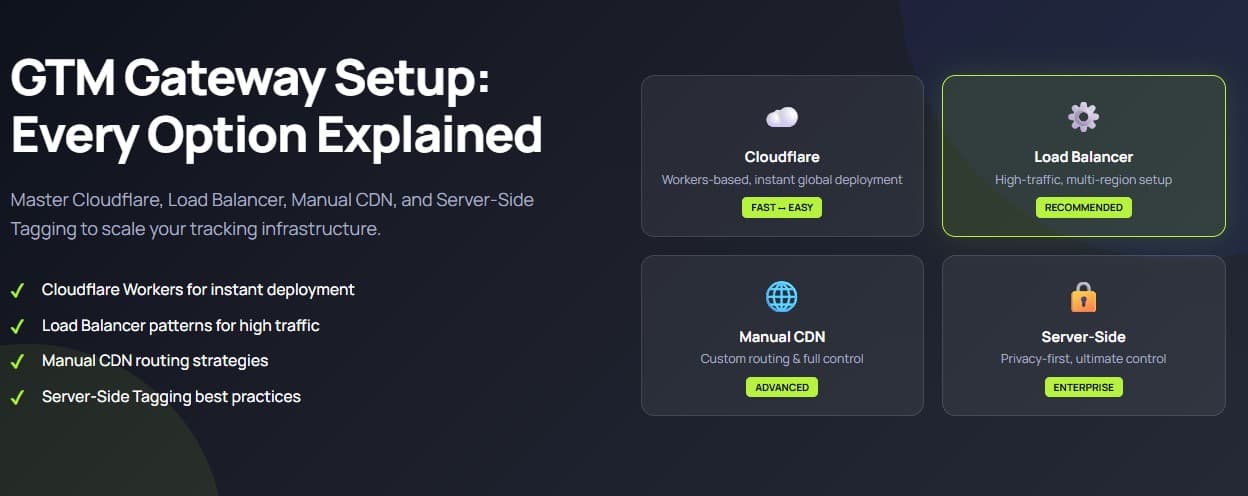
Setup option 1: Cloudflare (the 15-minute path)
If your site is already behind Cloudflare, this is the path Google built for you. The integration is native, free on both sides, and gateway-routed requests do not count toward Cloudflare usage or billing - including on the free plan.
What you need: a GTM container (or Google tag) live on your site, your domain on Cloudflare, and a Cloudflare user with Super Administrator, Administrator, or Zaraz Admin role.
The setup, end to end:
Domains then appear with one of four statuses: First-party (active), Not started, Paused, or Pending (enabled, no diagnostic data yet - normal in the first few hours).
Who this is for: any site already on Cloudflare. If you are on Cloudflare, there is essentially no reason to do this manually.
Setup option 2: Google Cloud Load Balancer (for GCP-hosted sites)
If your infrastructure runs on Google Cloud behind an external Application Load Balancer, there is a parallel in-UI flow driven from Google Ads.
What you need: the Google Tag Gateway Admin IAM role in your Google Cloud project, an existing external Application Load Balancer, and publish permissions on the relevant GTM containers.
The flow walks you through selecting your project, confirming the load balancer, customising the pre-selected domains, and completing setup. Behind the scenes, it provisions a backend service that handles geolocation lookup and forwards measurement traffic to Google, with a path rule (for example /metrics/*) prioritised above default routing.
Who this is for: companies hosting on GCP with load balancer infrastructure - typically larger, engineering-led organisations.
Setup option 3: Manual setup on other CDNs (Akamai, Fastly, CloudFront, Cloudflare manual)
Google publishes official self-service guides for Cloudflare (manual), Akamai, Fastly, and Google Cloud, and the same pattern extends to AWS CloudFront and any CDN that can forward requests to an external endpoint.
The pattern is always the same three jobs:
Per provider:
Budget around two hours if you already know your CDN. DNS-level changes can take up to 72 hours to propagate.
Not for: Shopify and similar hosted platforms where you have no CDN control - currently Google Tag Gateway's most significant structural limitation.
Setup option 4: GTG + CDN + server-side GTM (Google's recommended architecture)
GTG alone gets your scripts and hits onto first-party rails, but the data still flows to Google exactly as the browser produced it. Server-side GTM alone gives you a processing layer, but gtm.js is typically still served from Google's domain. Combining the two closes both gaps:
The requirement that trips people up: the combined setup needs same-origin paths. A server-side GTM endpoint on a subdomain like sgtm.yourdomain.com does not qualify for the recommended configuration - script serving and data collection should both live on paths of your main domain. If your server-side GTM is on a subdomain, migrating it should be part of the GTG project.
Who this is for: organisations spending meaningfully on paid media, or already running (or planning) server-side tagging. GetInlytics implements the full GTG plus server-side GTM architecture as a service - CDN configuration, server-side GTM deployment, same-origin routing, consent wiring, and post-launch verification.
How to verify your setup is actually working
FAQ
Is Google Tag Gateway the same as server-side GTM?
No. Google Tag Gateway is a forwarding proxy - it changes where tags load from and where hits are sent, but it does not process anything. Server-side GTM is a processing layer. Google's recommended architecture uses both together.
Does Google Tag Gateway cost anything?
No. It is free from Google, and on Cloudflare, gateway-routed requests do not count toward usage or billing for any Cloudflare product, including the free plan.
Does Google Tag Gateway let me track users who declined consent?
No. Consent Mode v2 behaves exactly as before - Google Tag Gateway does not override or bypass it. What it recovers is measurement from consented users whose requests were being blocked by ad blockers and Safari ITP.
Which Google Tag Gateway setup option should I choose?
If you are on Cloudflare, use the automatic in-UI setup. If you are on Google Cloud with an external Application Load Balancer, use the Google Ads flow. On Akamai, Fastly, or CloudFront, follow Google's manual setup guide for your provider. If you are running or planning server-side tagging, use the combined GTG plus CDN plus server-side GTM architecture. On Shopify or other closed platforms, GTG is not currently possible because you do not control the CDN.
My GA4 city data went to (not set) after enabling Google Tag Gateway. What happened?
Your CDN is not forwarding visitor geolocation headers. On Cloudflare manual setups, enable "Add Visitor Location Headers" in Transform Rules. On CloudFront, check that your Origin Request Policy forwards viewer headers. On Fastly, add geolocation injection in your VCL snippets. This is the most commonly reported post-setup issue.
Will ad blockers eventually block the Google Tag Gateway measurement path too?
Some blocklists attempt path-based detection, which is why Google defaults to a random four-character path. First-party, randomised paths are categorically harder to block than known third-party domains without breaking site functionality.
Can I run Google Tag Gateway with multiple Google tag IDs?
Yes, but manual setups need a separate forwarding configuration per tag ID - for example, Akamai requires a separate rule with the GTG behavior for each tag. The Cloudflare automatic flow handles multiple tags within the managed setup.
Conclusion
Google Tag Gateway is rare among Google measurement launches: free, genuinely effective, and on at least one path, almost effortless. On Cloudflare, it is fifteen minutes for a median 11% signal improvement.
If your stack is more complex - an enterprise CDN, GCP load balancing, or a full first-party architecture with server-side GTM - the value is bigger, and so is the implementation. Same-origin requirements, geolocation forwarding, consent wiring, and server-side GTM transport configuration all have to land together correctly.
Related articles and resources
Need Google Tag Gateway or server-side GTM implemented properly?
GetInlytics designs and deploys GTG, CDN routing, and server-side GTM architectures end to end - CDN configuration, consent wiring, and post-launch verification included.